

Best WizTree Alternative for Cloud Storage (OneDrive, Dropbox, TeraBox)
WizTree is one of the fastest disk space analyzers for Windows. It reads the NTFS Master File Table directly, so it can map an entire hard drive in seconds. But today much of what fills our storage isn’t on the hard drive at all: it’s in OneDrive, Dropbox and TeraBox. And that’s where WizTree can’t help.
If your cloud keeps saying “storage full” and you want WizTree’s speed and clarity for your online accounts, Air Cloud Analyzer is the alternative built for exactly that.
Why WizTree can’t see your cloud storage
WizTree measures the files stored on your PC’s drives. It doesn’t connect to your OneDrive, Dropbox or TeraBox account, so it doesn’t know what’s in the cloud: it only sees the copy that has been downloaded to your computer.
And that copy is rarely the whole account. For example, WizTree doesn’t count:
- Folders you chose not to sync. If you excluded them in OneDrive or Dropbox settings, they stay in the cloud and never reach your PC.
- Files you upload from your phone or the browser, like the photo backups that TeraBox makes from your mobile.
- Accounts you don’t sync on that computer, such as an old Dropbox you only open on the web. For WizTree to see them, you’d have to install the cloud’s app and download everything. Air Cloud Analyzer only needs you to sign in.
So WizTree may say your Dropbox folder uses 40 GB while Dropbox warns you that 1.9 of your 2 TB are full. You can clean up the folder on your PC and still see the “storage full” warning.
Local disk vs. cloud: WizTree and Air Cloud Analyzer compared
| Feature | WizTree | Air Cloud Analyzer |
|---|---|---|
| Platforms | Windows | Windows and Mac |
| Local drives | Yes | Yes |
| Signs in to cloud accounts | No (synced folders only) | Yes, 46 services |
| OneDrive, Dropbox, TeraBox | Only what is synced to the PC | The whole account, without downloading |
| NAS and servers (FTP, SFTP, WebDAV) | Only mapped drives | Yes, direct connection |
| Visualization | Treemap | Interactive sunburst |
| Largest files | Yes | Yes (Top Files) |
| Duplicate finder | Yes | Yes, by cloud hash when available |
| Analysis by file type and date | By type | By type and by date ranges |
| Price | Free for personal use; license for business | Analysis free; Pro to delete ($17/year or $25 one-time) |
In short: for a local Windows drive, WizTree is hard to beat on speed. For everything stored in the cloud, or if you use a Mac, you need a tool that connects to the cloud directly.
How Air Cloud Analyzer works as a WizTree alternative
Air Cloud Analyzer connects to each service through its official API and reads only metadata: name, size, date and, when available, the file hash. Nothing is downloaded, so you can analyze a 2 TB account from a laptop with a nearly full disk. Your files never pass through our servers.
Once the scan finishes, you get the same “where did my space go?” answers WizTree gives you, but for your cloud:
Sunburst chart: the whole account at a glance
Each ring is a folder level and each segment is proportional to its size. Click a segment to zoom into it and keep drilling down until you find the folder or file responsible.
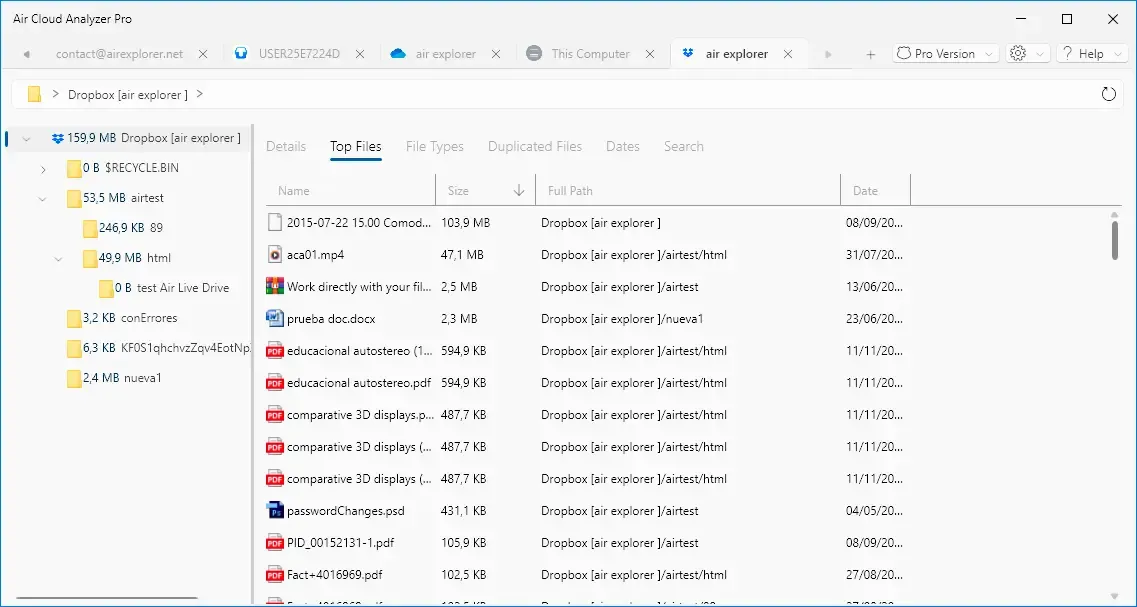
Top Files: the biggest culprits first
Top Files ranks the largest files in the account with their full path. Videos, backups and old ZIP archives usually show up in the first few rows.
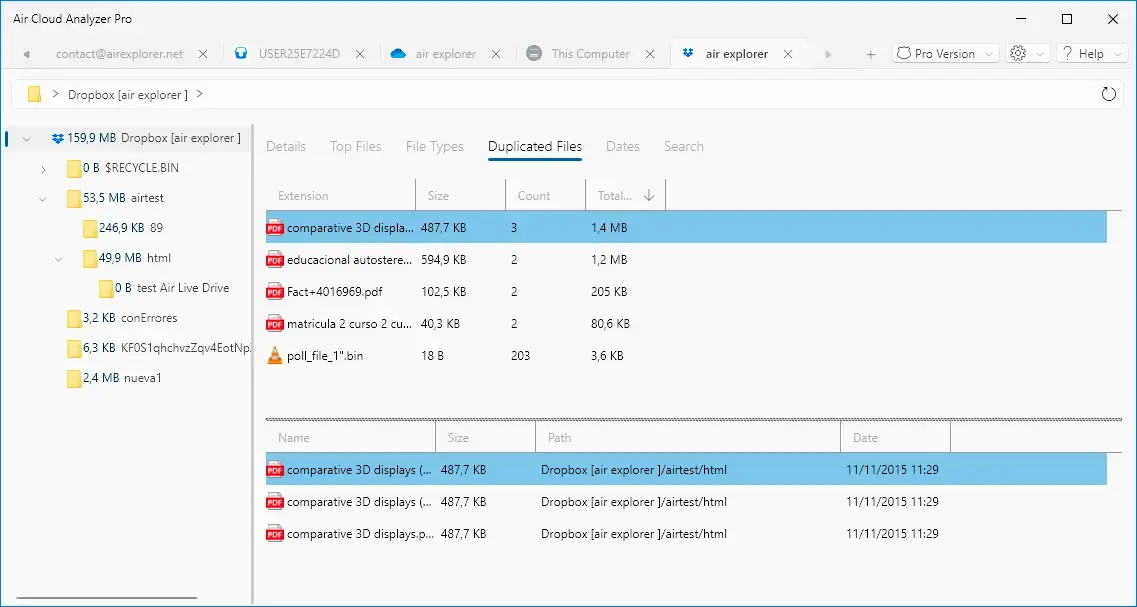
Duplicates checked by hash
Many clouds (Dropbox, OneDrive and others) provide a file hash. Air Cloud Analyzer uses it to group real duplicates, not just files with the same name. When a service doesn’t provide a hash, it groups by name and size and shows a warning so you know to check before deleting.
File types and dates
The File Types view shows whether videos, photos or documents take up the most space. The Dates view groups files by modification date with ranges such as “This Week” or “Last Year”, so forgotten archives become easy to spot.
OneDrive, Dropbox and TeraBox: what to know
- OneDrive and OneDrive for Business: personal and work accounts, plus SharePoint sites. See how to analyze and clean OneDrive.
- Dropbox: sign in from the app and analyze the whole account, including folders you don’t sync. See how to free up space in Dropbox.
- TeraBox: sign in, authorize access and analyze the whole account, even the files you only uploaded from your phone. See how to use TeraBox with Air Cloud Analyzer.
You can also keep a local drive in another tab and compare it with your clouds side by side. Check the full list of supported clouds.

When to use WizTree, and when Air Cloud Analyzer
Stick with WizTree if you only need to clean a local Windows drive and want the fastest possible scan.
Choose Air Cloud Analyzer if:
- Your provider says your cloud storage is full and you don’t know why.
- You use several accounts (OneDrive, Dropbox, TeraBox, MEGA, pCloud, S3…).
- You work on a Mac.
- You want to find duplicates in the cloud without downloading anything.
- You want to analyze your drives and your clouds with one app instead of two.
If you are comparing Windows tools, also read our TreeSize alternative comparison.
Try it free
All analysis views are free for up to 3 accounts. Download Air Cloud Analyzer, connect your OneDrive, Dropbox or TeraBox, and in a few minutes you’ll know exactly what is taking up space. When you’re ready to clean up from the app, Air Cloud Analyzer Pro lets you delete files from any view.