
Supported Clouds
Analyze Mega, OneDrive, Dropbox, S3, SFTP, and more from one place.
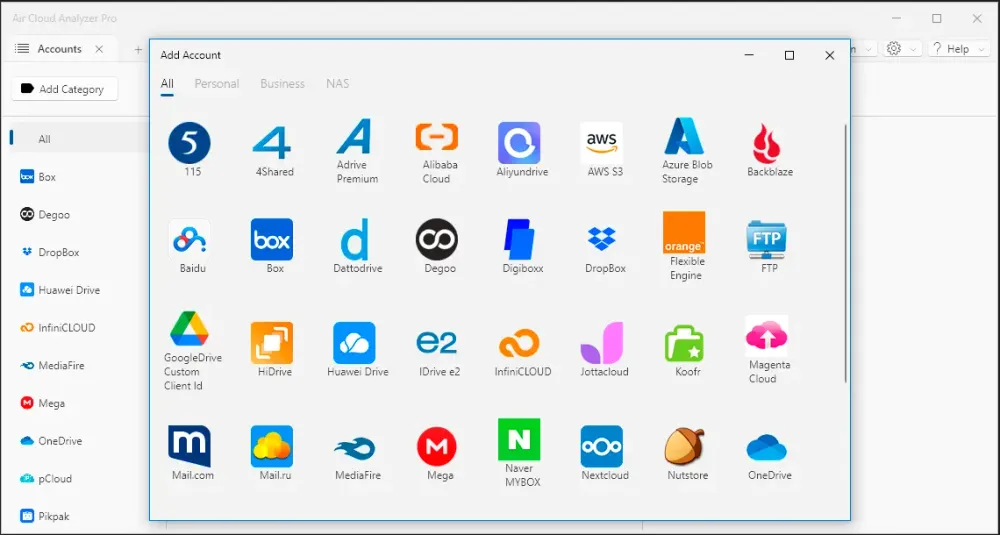
Supported Cloud Storage Providers
Analyze and manage your storage across 46 cloud providers. From the most popular services like Mega and Dropbox to professional protocols like AWS S3 and SFTP, Air Cloud Analyzer gives you a unified view of all your digital space.


Frequently Asked Questions
Fast answers to help you get the most out of your cloud storage
Can I add multiple accounts from the same server?
Yes, with Pro you can add several accounts from the same provider, for example two Mega or OneDrive accounts. The free version allows 1 account per provider and 3 accounts in total.
What information do I get from my cloud with Air Cloud Analyzer?
You get a complete breakdown by file size, content type, duplicate files, and the age of the files stored in your account.
Can I analyze multiple clouds at the same time?
Yes. Open each account in its own tab and switch between them: up to 3 tabs in the free version, unlimited with Pro.
What are the differences between Air Cloud Analyzer and Air Explorer when dealing with clouds?
Air Explorer is designed for file management and synchronization. Air Cloud Analyzer is specifically built for storage analysis and cleanup. Both support a lot of cloud providers, but they serve different optimization goals.
How long does it take to analyze my cloud?
The analysis is completed in just a few minutes, depending on the volume of files stored in your account.
Do I need to download my files to analyze them?
No. Air Cloud Analyzer analyzes your connected cloud accounts directly, so you can inspect storage usage, duplicates, and large files without downloading everything first.