
Take Control of Your Cloud and Local Storage
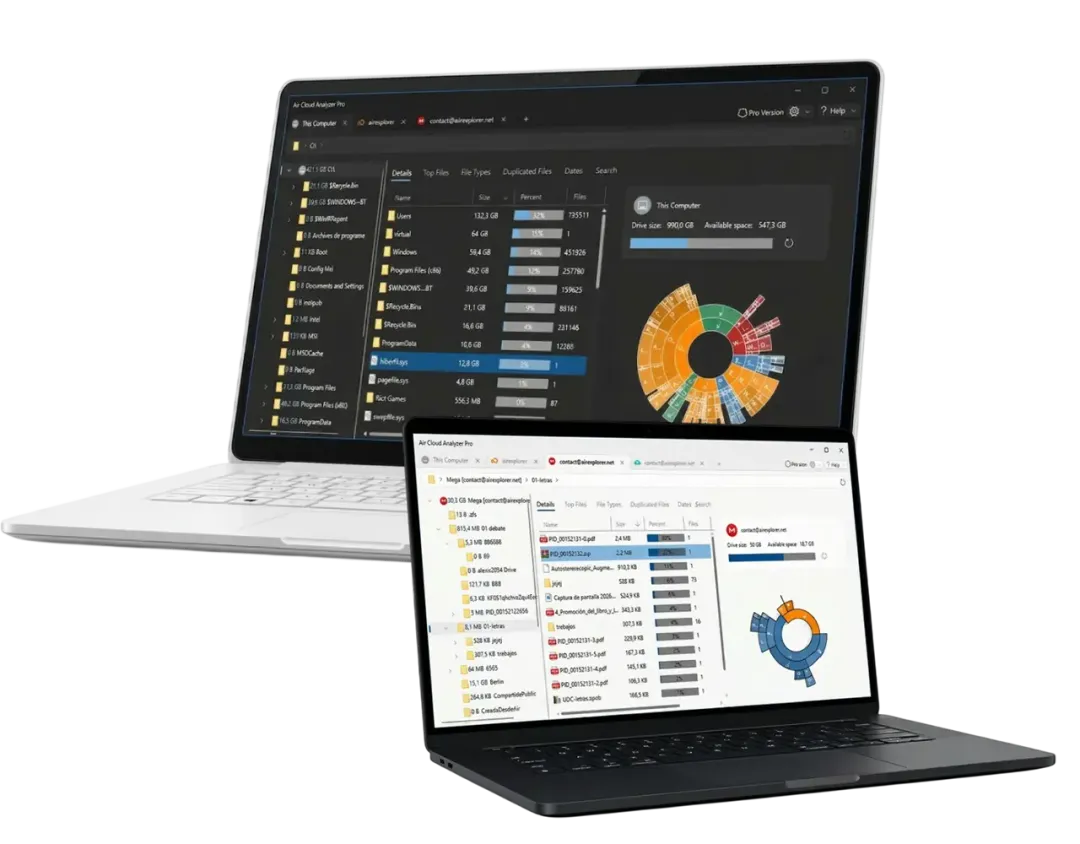
Connect your cloud and get a complete visual breakdown of everything taking up your space in minutes. Find your largest files, spot every duplicate, and discover files that haven't been touched in years across your cloud accounts and local hard drive. One clean dashboard gives you all the insights you need to clean up fast and reclaim valuable space.
Unified Cloud Management
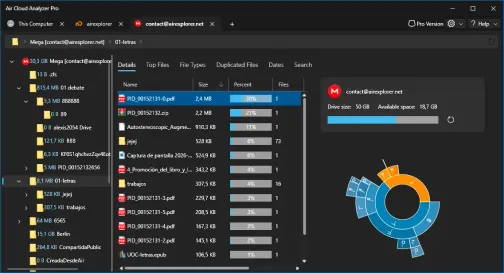
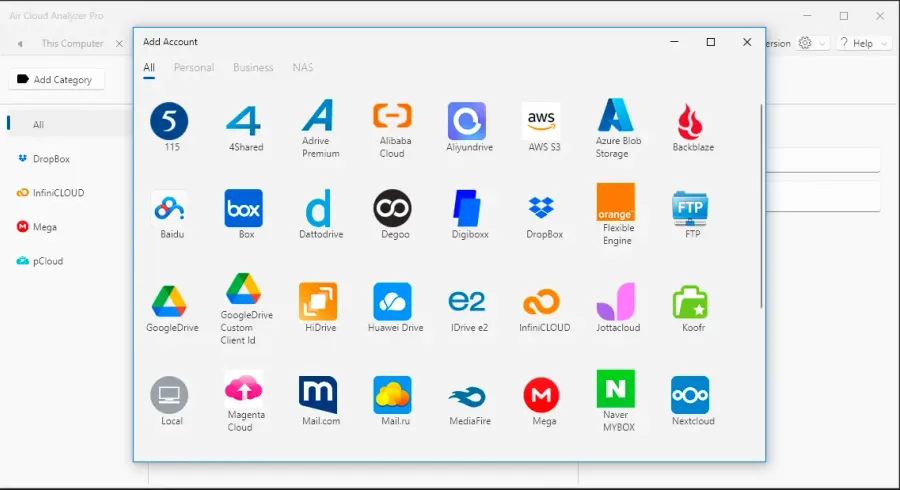
Air Cloud Analyzer does more than just list files, it understands how your space is being used. Manage all your cloud accounts from a single, powerful dashboard.
Complete Storage Analysis
Analyze your storage directly in the cloud. No downloads required, saving you bandwidth, time, and local disk space.
Beyond the cloud, Air Cloud Analyzer scans your local hard drive with the same level of detail.
Interactive Sunburst Charts
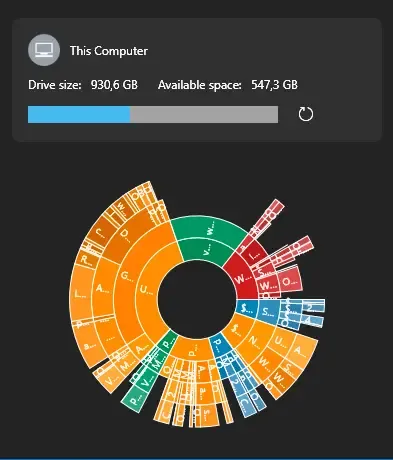
Navigate through your folders visually. Our Sunburst charts use color and scale to instantly show where your storage is hiding.
Master Your Storage
Top Files
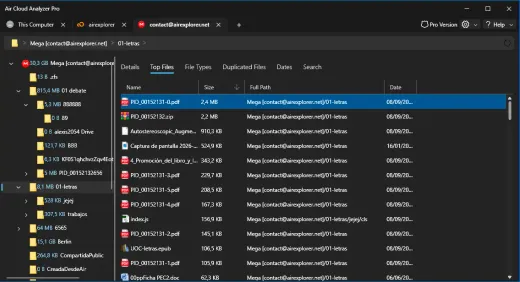
Identify and list the largest files across your cloud accounts and local storage to quickly reclaim space.
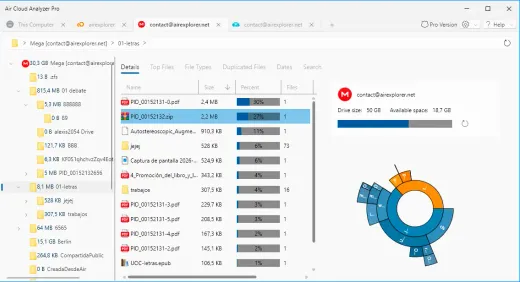
Detailed Explorer
Get a comprehensive view of your storage structure, allowing you to navigate and manage files with ease.
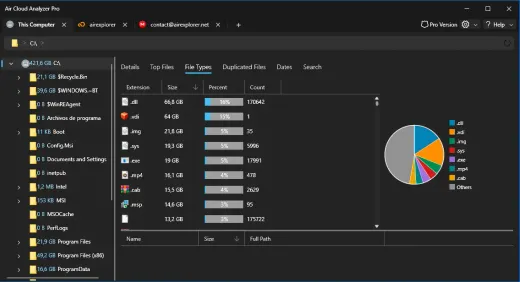
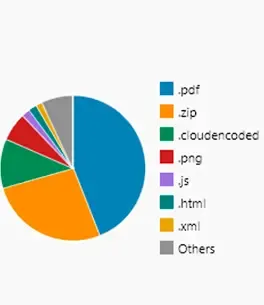
File Types
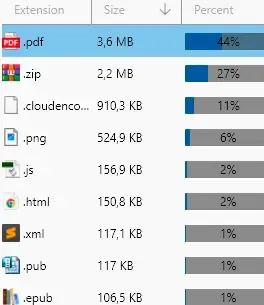
Visualize space consumption by file type, helping you understand which categories are hogging your storage.
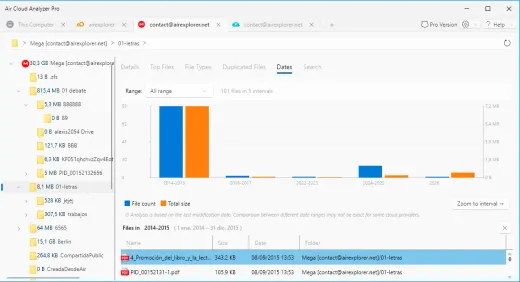
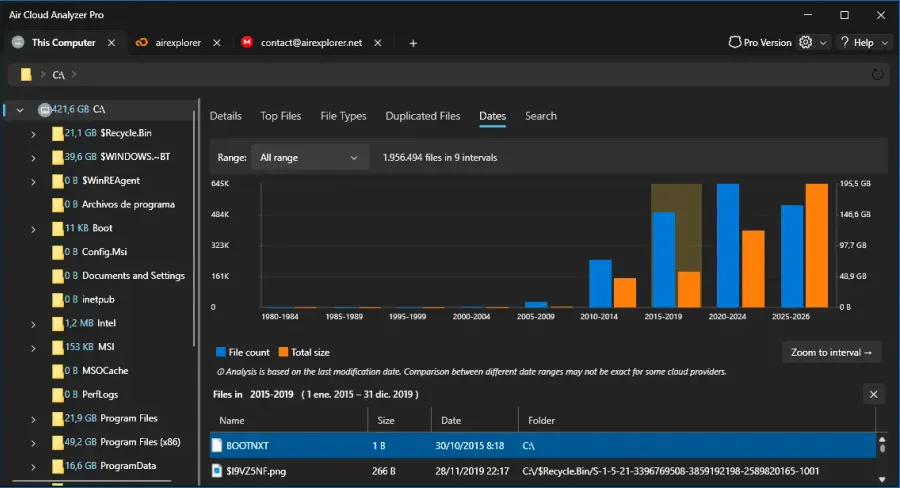
Date Files
Find old, untouched files by date to decide what to keep or archive from years of storage clutter.
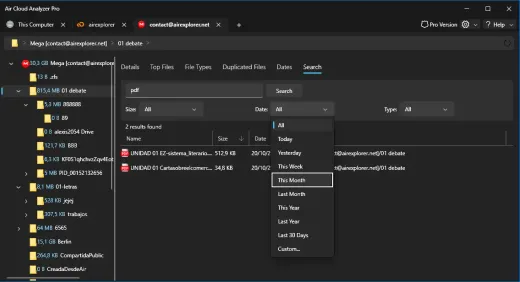
Global Search
Search for specific files across all your connected cloud services and local drives simultaneously.
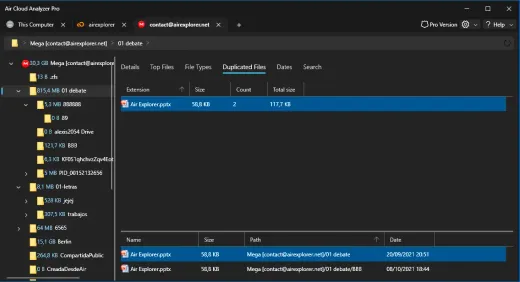
Duplicate Finder
Easily spot and remove duplicate files across multiple platforms to keep your cloud accounts lean.
How Can Air Cloud Analyzer Help You?
Real-world scenarios for your digital and professional life.
Recover Space on Full Clouds
Running out of space on Google Drive? Use Largest Files to find and remove bulky backups or videos you no longer need.
One Search to Rule Them All
Can't remember where you saved that invoice? Search across all connected accounts at once without opening multiple apps.
Cross-Cloud Cleanup
Delete identical files stored in both Dropbox and OneDrive. Keep your data organized and avoid paying for extra storage.
Data Lifecycle Auditing
Filter by Dates to find project files from 5 years ago. Archive or delete them to keep your active storage lean.

Frequently Asked Questions
Fast answers to help you get the most out of your cloud storage
What is Air Cloud Analyzer?
It's a desktop tool for Windows and Mac that analyzes your cloud storage. It connects to multiple services to help you visualize space usage, find large files, and remove duplicates without requiring local downloads.
How do I find large files on Google Drive or OneDrive?
Simply navigate to the 'Largest Files' tab after the analysis. The program will automatically rank all files across your clouds by size, helping you free up space instantly.
What is the difference between Air Cloud Analyzer and Air Explorer?
Air Explorer is a cloud file manager focused on transferring, uploading, and synchronizing files. Meanwhile, Air Cloud Analyzer is specifically designed to scan, create visual storage charts, and help you clean up unnecessary, large, or duplicate files efficiently.
Is it secure to connect my cloud accounts?
Yes, your privacy and security are our priority. We use official secure OAuth protocols for authentication. We never store your passwords, and all analysis happens directly on your machine without uploading your file data to our servers.
Does Air Cloud Analyzer work on Mac?
Yes! Air Cloud Analyzer is available as a native desktop application for both Windows and Mac operating systems, ensuring you have total control regardless of your preferred platform.
Will analyzing a large cloud drive use up all my internet bandwidth or local disk space?
No. Air Cloud Analyzer connects directly to the cloud services' APIs to read only the metadata (sizes, names, dates). It doesn't need to download the actual files to your computer, saving both bandwidth and local disk space.



Take Control of Your Cloud
Download Air Cloud Analyzer today and start managing your cloud storage seamlessly across all your accounts.